
Az All About Cookies nemrégiben készült felmérése szerint az amerikaiak 62%-a osztja meg a tartózkodási helyét másokkal, és azon szülők körében, akiknek van hozzáférésük, 58% minden egyes nap ellenőrzi gyermeke hollétét. A helymegosztás egyértelműen átalakult egy réteg-vészhelyzeti eszközből mindennapi társadalmi normává. Ha folyamatosan különböző térképek között váltogat, hogy kiderítse, hol vannak szerettei, egy központosított megoldásra van szüksége. A Find: Family Location Tracker egy iOS-re és Androidra készült mobilalkalmazás, amelyet arra terveztek, hogy valós idejű frissítéseket és biztonságos térképmegosztást nyújtson családok és szoros közösségek számára.
A felhasználóközpontú kommunikációs termékek és hangtechnológiák fejlesztése során folyamatosan azt látom, hogy az emberek a megfelelő célokra rossz szoftvereket használnak. Az emberek nyugalomra vágynak, de ezt teljesen más célra létrehozott, töredezett eszközökkel próbálják elérni. Ez az útmutató végigvezeti Önt a digitális biztonsági szokásai egységesítésének gyakorlati lépésein, megmutatva, hogyan léphet túl az alapvető segédprogramokon egy dedikált rendszer irányába.
1. lépés: Értékelje jelenlegi nyomon követési szokásait
Nézzen rá most a telefonjára. Valószínűleg alkalmazások tömkelegére támaszkodik a háztartás szemmel tartásához. Talán az apple maps vagy a google maps segítségével ellenőrzi a várható érkezési időt, amikor házastársa hazavezet. Valószínűleg megnyitja a findmyiphone-t, ha egy tinédzser elhagyja az eszközét az iskolában. Sőt, lehet, hogy olyan szabadtéri navigációs alkalmazásokra hagyatkozik, mint az all trails, hogy kövessen valakit túrázás közben.
A közvélemény erősen tükrözi ezt az operációs rendszerek saját eszközeire való utaltságot. A YouGov legutóbbi adatai szerint a Find My iPhone 78%-os ismertséggel és 56%-os népszerűségi mutatóval rendelkezik, így mélyen beépült a mindennapi rutinunkba. Emellett a globális okostelefon-piac hatalmas – a Market.us szerint 2032-re eléri a 876 milliárd dollárt –, az Apple piaci részesedése pedig 18,4%-ra emelkedett 2022-ben. Mivel rengeteg ember hordozza ezeket az eszközöket, az alapértelmezett eszközök váltak a kiindulóponttá.
Ahogy azt a St. Augustine kutatása is kiemeli, az olyan eszközök, mint a Locate My iPhone, kivételes munkát végeznek abban, hogy a pánikot precizitássá alakítsák a fejlett szenzorfúzió és az élő pozicionálás révén. De egy elveszett eszköz megtalálása alapvetően különbözik egy emberi lénnyel való koordinációtól. Amikor az iskolai fuvarokat kell megszervezni, vagy ellenőrizni, hogy a család biztonságban hazaért-e, a navigációs szoftverek és az eszközkereső pingerek közötti ugrálás felesleges súrlódást okoz.
2. lépés: Ismerje fel az alapértelmezett hálózatok korlátait
Bár a natív eszközhálózatok hihetetlenül erősek, a folyamatos családi felügyeletre való használatuk egyedi kihívásokat jelent. A George Mason Egyetem kutatói nemrégiben egy „nRootTag” nevezetű sebezhetőséget fedeztek fel. A Bluetooth-címek kihasználásával a kutatócsoport bemutatta, hogyan manipulálhatják a hackerek az Apple Find My hálózatát, hogy a céleszközöket akaratlan nyomkövetőkké alakítsák. A vezető szerző, Junming Chen megjegyezte, hogy ez a módszer lényegében AirTaggé változtat egy telefont vagy laptopot anélkül, hogy a tulajdonos észrevenné.
Ez az akadémiai felismerés rávilágít egy gyakorlati valóságra: a natív eszközkereső hálózatok elsősorban a hardverek visszaszerzésére épültek hatalmas, közösségi hálózatokon keresztül. Nem a részletes és biztonságos személyközi megosztásra tervezték őket. Ha egy trackphone jellegű forgatókönyvet állít be egy gyermek munkába vagy iskolába járásának figyelésére, a tisztán az operációs rendszer háttérpingjeire való hagyatkozás váratlan adatvédelmi hiányosságoknak teheti ki Önt.
3. lépés: Válasszon egy dedikált családi helymeghatározó alkalmazást
Ahelyett, hogy családtagjait elkevert elektronikai cikkekként kezelné, emberekre szabott szoftverre van szüksége. Itt változtatja meg a dinamikát egy dedikált alkalmazás.
Kinek szól ez? Szülőknek, akik a zsúfolt heti beosztást koordinálják, partnereknek, akik hosszú távon ingáznak, és kis terepi csapatoknak, akiknek kapcsolatban kell maradniuk. Kinek NEM szól? Határozottan nem olyan munkáltatóknak, akik beleegyezés nélkül akarják mikro-menedzselni a személyzetet, és nem is titkos megfigyelésre tervezték. A bizalom az előfeltétele a hatékony helymegosztásnak.
A platform kiválasztásakor részesítse előnyben az egységes nézetet. Ahogy kollégám, Kaan Demir rámutatott kiváló posztjában, amely arról szól, miért fontosabb az egységes családi térkép, mint a life 360, a google maps és a find my közötti váltogatás, a családok általában csak egy egyszerű választ akarnak: hol van most mindenki? A töredezett eszközöktől való eltávolodással kiküszöböli azt a mentális terhet, hogy emlékeznie kelljen, melyik alkalmazás melyik célt szolgálja.
4. lépés: Konfigurálja a nyomkövető beállításait a pontosság érdekében
Miután úgy döntött, hogy a Find: Family Location Trackerrel központosítja megközelítését, a kezdeti konfiguráció határozza meg, mennyire zökkenőmentesen fog működni. Kövesse ezeket a beállítási kritériumokat a teljesítmény optimalizálásához:
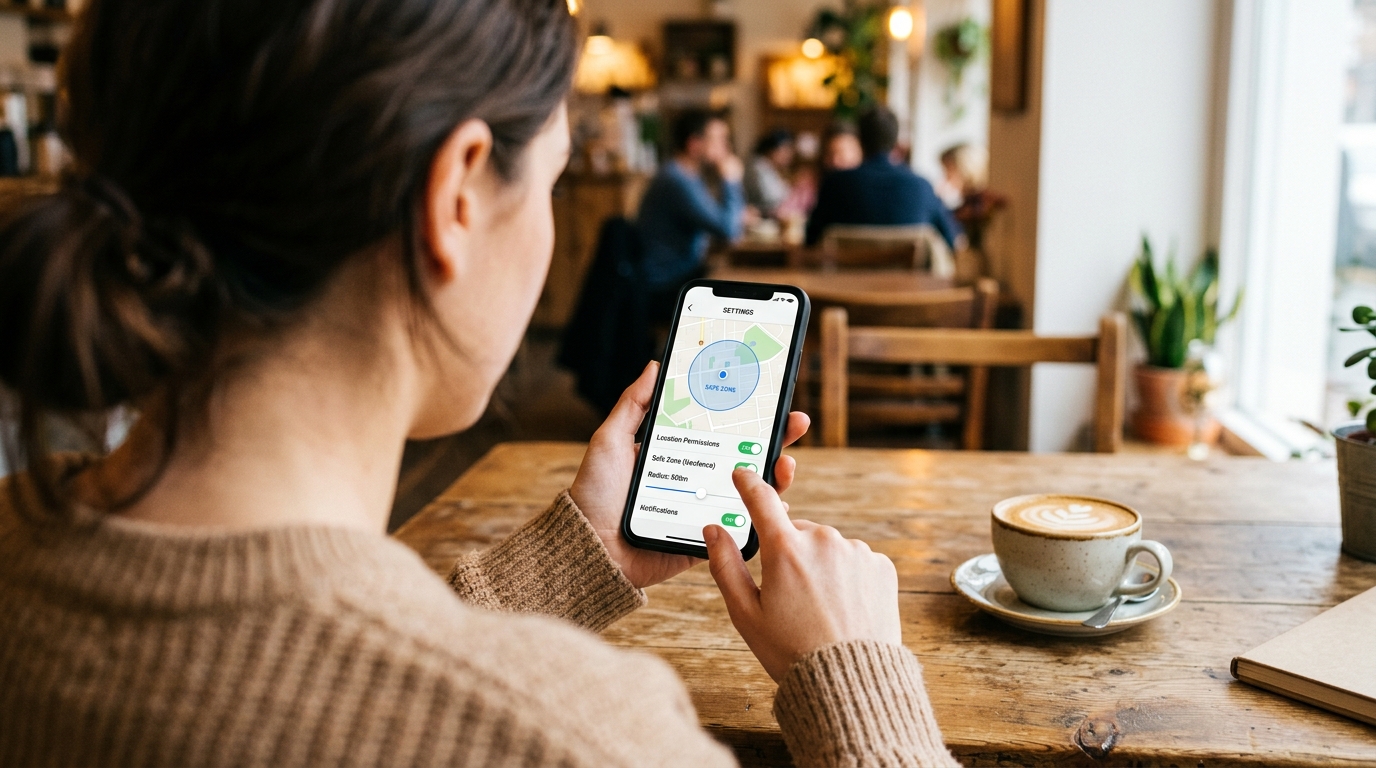
- Megfelelő engedélyek beállítása: A folyamatos, megbízható frissítésekhez állítsa a helymeghatározási engedélyt a „Mindig engedélyezve” opcióra. Ha korlátozza „Az alkalmazás használata közben” lehetőségre, a nyomkövető nem fog frissülni a háttérben, így használhatatlanná válik, amikor a telefon a zsebben van.
- Geofence-ek (biztonsági zónák) létrehozása: Hozzon létre zónaalapú értesítéseket a gyakran látogatott helyekhez, például az otthonához, az irodához vagy az iskolához. Ez az aktív kezeléssé alakítja a passzív figyelést. Nem kell majd a térképet bámulnia; az alkalmazás értesíti Önt, ha egy szerette átlép egy határt.
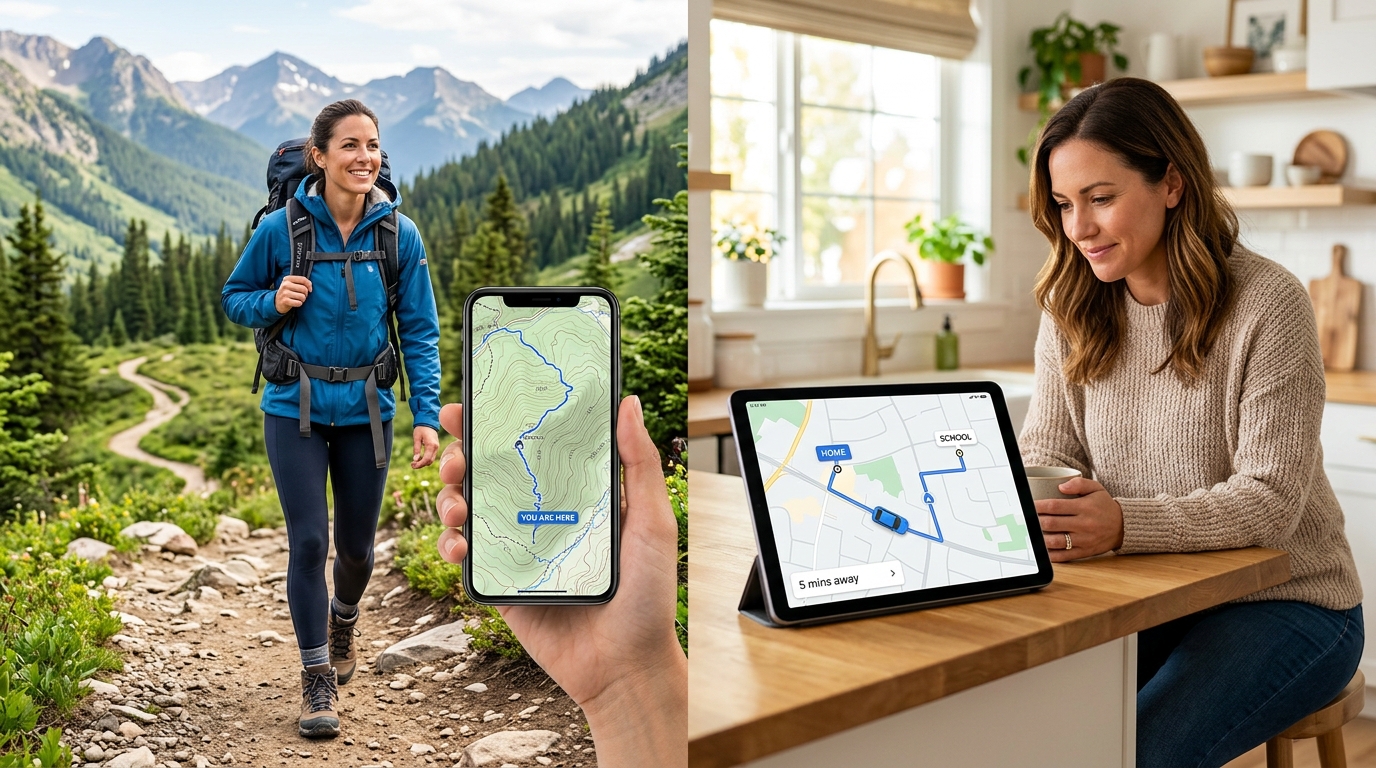
- Navigáció és figyelés szétválasztása: Tanítsa meg családtagjait az alkalmazások rendeltetésszerű használatára. Használja a waze-t vagy a maps-et szigorúan útvonaltervezéshez, tartsa meg az all trails-t a vadonbeli kalandokhoz, és tartsa fenn a családi alkalmazást a személyközi koordinációhoz.
A Frontguard-nál azzal a meggyőződéssel építünk mindennapi használati termékeket, hogy a technológiának csökkentenie kell a kognitív terhelést. Egy megfelelően konfigurált geofence pontosan ezt teszi.
5. lépés: Egészséges digitális határok kialakítása
A hatékony nyomon követés legalább annyira szól a pszichológiáról, mint a GPS műholdakról. Érdekes módon ugyanez az All About Cookies tanulmány egy lenyűgöző paradoxont is megjegyzett: azon felhasználók 27%-a, akik hozzáférnek partnerük helyadataihoz, ritkán vagy soha nem ellenőrzi azokat. Azokban a kapcsolatokban, ahol a bizalom a legerősebb, a kapcsolat puszta léte megnyugvást nyújt állandó ellenőrzés nélkül is.
Amikor közös hálózatot hoz létre, üljenek le, és folytassanak átlátható beszélgetést a magánéletről. Az olyan eszközök kétségbeesett használata, mint a find my device, vagy egy pánikszerű reverse phone lookup (fordított telefonszám-keresés), amikor valaki nem veszi fel a telefont, gyakran szorongásból és rossz kommunikációból fakad. Egy átlátható, közös térkép csökkenti ezt a feszültséget. Emre Yıldırım korábban már vizsgálta az ezen keresési szokások mögötti szorongást a fordított telefonszám-kereséssel, a Find My Phone-nal és a telefonszám-alapú kereséssel kapcsolatos tévhitekről szóló cikkében, rávilágítva, hogy a proaktív megosztás mindig jobb a reaktív keresésnél.
6. lépés: Távolodjon el a reaktív keresési módszerektől
Végül kötelezze el magát amellett, hogy eltávolodik az elavult, reaktív módszerektől. Ha gyakran azon kapja magát, hogy phone number lookup-ra, reverse call lookup-ra vagy true people search-re hagyatkozik csak azért, hogy ellenőrizze, hol kellett volna lennie valakinek, akkor utólagosan cselekszik. Ezeket az eszközöket ismeretlen hívók azonosítására vagy nyilvános adatok keresésére tervezték, nem pedig annak biztosítására, hogy a tinédzser eljutott-e az edzésre.
A proaktív koordináció azt jelenti, hogy soha nem jut el arra a pontra, hogy egy fast people search-re legyen szüksége egy családtag megtalálásához. A findmyiphone-t csak akkor nyitja meg, ha egy hardver valóban elveszett a kanapé párnái között, vagy a kávézóban maradt.
Az egyértelmű használati esetek meghatározásával – az apple maps-et fenntartva a napi ingázáshoz, az all trails-t a hétvégi túrához, a Find: Family Location Tracker-t pedig a háztartás kapcsolatban tartásához – olyan digitális környezetet hoz létre, amely prioritásként kezeli a biztonságot a magánélet vagy az akkumulátor élettartamának feláldozása nélkül. Kezdje el a beállítást még ma, konfigurálja a kulcsfontosságú biztonsági zónákat, és élvezze a dedikált, egységes rendszer nyújtotta nyugalmat.