
Immagina uno scenario domestico comune: tuo figlio adolescente doveva essere all'allenamento di basket trenta minuti fa. Gli mandi un messaggio: nessuna risposta. Chiami: scatta subito la segreteria telefonica. Apri l'app di localizzazione predefinita sul tuo telefono, ma visualizzi solo un puntino grigio fermo a un'ora prima perché tuo figlio usa una marca di telefono diversa dalla tua. Inizia l'ansia. In momenti come questi, alcuni genitori arrivano persino a cercare dati sui numeri di telefono online per pura disperazione, sperando in un indizio su dove possa essere caduta la linea. Questo tipo specifico di stress non deriva da una cattiva genitorialità, ma da un'architettura software frammentata.
Per anni, le famiglie con dispositivi misti hanno faticato a coordinarsi. Se metà della famiglia usa un sistema operativo e l'altra metà ne usa un altro, gli strumenti di mappatura spesso non riescono a comunicare in tempo reale. In qualità di sviluppatore di prodotti che lavora a stretto contatto con l'IA e gli strumenti di comunicazione quotidiana, ho osservato a lungo come le lacune del software creino attriti nel mondo reale. Ecco perché l'implementazione della Sincronizzazione Intelligente Cross-Ecosistema in Find: Family Location Tracker affronta una vulnerabilità critica nel modo in cui ci prendiamo cura l'uno dell'altro.
La Sincronizzazione Intelligente Cross-Ecosistema è un protocollo di coordinamento che traduce i dati di localizzazione tra diversi sistemi operativi mobili in tempo reale, prevenendo i comuni ritardi di mappatura e la perdita di segnale tipici delle famiglie con dispositivi misti. Invece di affidarsi a una configurazione frammentata, colma il divario hardware. Se sei stanco di aggiornare una mappa bloccata, ecco una guida pratica passo dopo passo per aggiornare il sistema di coordinamento della tua famiglia utilizzando questo framework.
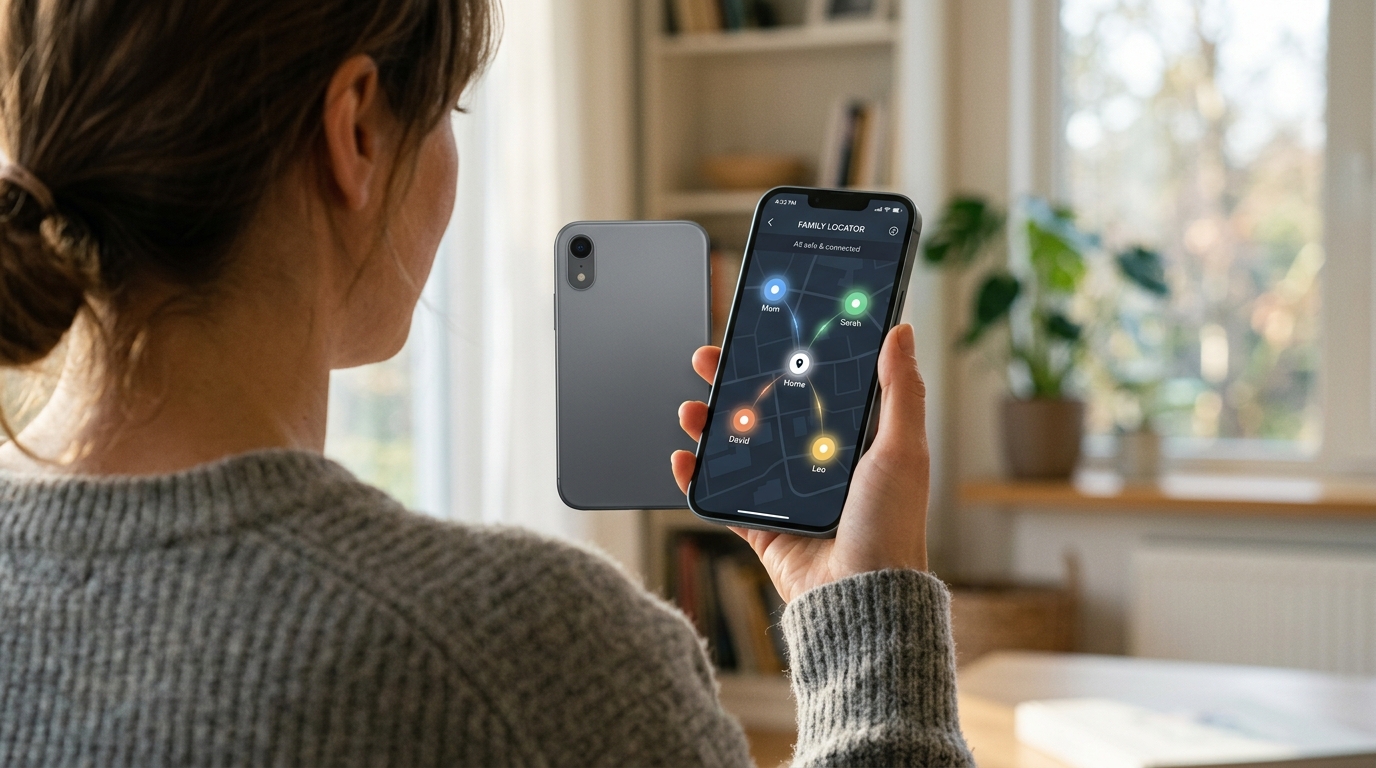
Fase 1: Analizza i Limiti del Tuo Sistema Attuale
Prima di installare qualsiasi novità, devi identificare dove il tuo sistema attuale sta fallendo. La maggior parte delle famiglie si affida a un mosaico di strumenti predefiniti. Potresti avere un'app per ritrovare le chiavi smarrite, un'utilità predefinita "trova il mio dispositivo" per il tablet e un'app di terze parti per monitorare la velocità di guida.
Il problema di questo approccio è l'isolamento dei dati. Gli strumenti predefiniti dei sistemi operativi danno priorità al proprio hardware. Quando un telefono della Marca A cerca di localizzare un telefono della Marca B, i processi in background spesso limitano la connessione per risparmiare batteria, causando il temuto messaggio "Posizione non disponibile". Prenditi qualche minuto per chiedere ai membri della tua famiglia:
- Quanto spesso vedete orari di localizzazione non aggiornati?
- Il tracciamento si interrompe completamente quando la batteria di qualcuno scende sotto il 15%?
- Ti affidi a metodi reattivi, come aspettare che un figlio ti chiami da un telefono in prestito?
Comprendere questi punti critici è il primo passo verso un coordinamento migliore. I dati di localizzazione grezzi senza contesto spesso creano più domande che risposte, motivo per cui passare a un'architettura di misurazione unificata è essenziale per le famiglie moderne.
Fase 2: Comprendere le Moderne Aspettative di Privacy
Prima di configurare una nuova mappa, devi allineare il tuo approccio alle moderne realtà della privacy. Il tracciamento non dovrebbe mai sembrare una sorveglianza; deve essere un accordo reciproco basato su una tecnologia trasparente.
I dati del rapporto sui Trend delle App Mobile 2026 di Adjust indicano che i tassi di consenso all'App Tracking Transparency (ATT) su iOS si sono stabilizzati su livelli più alti, poiché gli utenti ne vedono i chiari vantaggi. Ciò dimostra che gli utenti — inclusi adolescenti e giovani adulti — sono sempre più disposti a concedere i permessi di localizzazione quando un'applicazione offre un valore chiaro e tangibile e rispetta i loro confini.
Quando vi sedete per implementare una mappa unificata, aprite una conversazione sulla privacy. Spiega che l'obiettivo non è controllare ogni mossa, ma garantire che tutti possano coordinare i passaggi, verificare gli arrivi sicuri e gestire le emergenze senza dover inviare costantemente messaggi come "Dove sei?".
Fase 3: Implementare la Sincronizzazione Intelligente Cross-Ecosistema
Una volta che tutti sono d'accordo, è il momento di configurare l'infrastruttura. È qui che Find: Family Location Tracker si differenzia dalle opzioni standard che potresti aver provato in passato.
Scarica l'app su tutti i dispositivi della famiglia, indipendentemente dalla marca. Il processo di configurazione inizializza automaticamente la funzione di sincronizzazione. La tecnologia alla base rappresenta un passaggio dal semplice rilevamento GPS a un'architettura di misurazione intelligente. I trend suggeriscono che la crescita delle app non è più guidata da singole funzionalità, ma dall'integrazione profonda dell'IA nel modo in cui la posizione viene misurata e riportata.
In termini pratici, ciò significa che l'app apprende i modelli di comunicazione tra i diversi dispositivi della casa. Se un dispositivo ha una modalità di risparmio energetico aggressiva, il protocollo di sincronizzazione regola dinamicamente la frequenza degli aggiornamenti per garantire che la connessione rimanga stabile senza esaurire la batteria. Ti basterà aggiungere i membri della tua famiglia tramite un codice di invito sicuro e l'app gestirà il complesso scambio di dati tra le piattaforme in background.
Fase 4: Stabilire Zone Sicure Contestuali
Una mappa unificata è utile tanto quanto il contesto che fornisce. Fissare uno schermo aspettando che un puntino attraversi la strada è una perdita di tempo. Sfrutta invece il geofencing automatizzato.
Imposta zone specifiche per le aree più frequentate: la scuola, l'ufficio, la palestra o la casa di un parente. Nel momento in cui un membro della famiglia entra o esce da questi confini predefiniti, l'app invia una notifica discreta. Poiché la funzione di sincronizzazione opera in modo affidabile tra diversi sistemi operativi, queste notifiche arrivano puntuali, invece di comparire venti minuti dopo che la persona è già tornata a casa.
In Frontguard, sia che progettiamo un Assistente per Note AI per riunioni aziendali o un coordinatore di posizione per le famiglie, la filosofia di base rimane la stessa: la tecnologia deve gestire la parte tecnica affinché tu possa concentrarti sulla tua giornata. Gli avvisi automatici assolvono esattamente a questo scopo.

Fase 5: Abbandonare le Abitudini di Ricerca Reattive
Con una mappa attiva e sincronizzata, devi rompere consapevolmente le vecchie abitudini. Molti genitori sono condizionati a reagire negativamente quando la comunicazione si interrompe. Se una chiamata cade, l'istinto immediato è spesso il panico, la ricerca inversa del numero per le chiamate sconosciute o l'ipotesi del peggio.
Questi strumenti reattivi sono pensati per l'investigazione post-incidente, non per la sicurezza familiare in tempo reale. Un localizzatore dedicato offre rassicurazione immediata. Se cade una linea, ti basta dare un'occhiata a Find: Family Location Tracker. Se vedi la loro icona muoversi costantemente lungo il solito tragitto con un indicatore di batteria attivo, capirai che hanno solo attraversato una zona senza campo, non che c'è un'emergenza. Questo passaggio dal panico reattivo alla rassicurazione proattiva cambia la dinamica emotiva della tua casa.
Domande e Risposte Pratiche sulla Gestione della Posizione Familiare
Per aiutarti a completare questa transizione senza intoppi, ecco alcune domande comuni che ricevo dagli utenti che passano alle piattaforme cross-ecosistema.
Il tracciamento cross-ecosistema consumerà più velocemente la batteria dei telefoni vecchi?
No, se l'app utilizza il rilevamento adattivo. I vecchi metodi di tracciamento costringevano il modulo GPS a rimanere costantemente attivo, il che devastava la durata della batteria. L'architettura aggiornata di Find: Family Location Tracker utilizza sensori di movimento e stati predittivi basati sull'IA per ridurre il consumo energetico, richiedendo dati GPS precisi solo quando viene rilevato un movimento significativo.
Perché la mia mappa predefinita mostra una posizione diversa rispetto a Find?
Le mappe predefinite dei sistemi operativi spesso salvano i dati in cache per preservare le risorse del server. Se utilizzi sistemi operativi diversi, un telefono potrebbe rifiutare completamente la richiesta di aggiornamento in background proveniente dall'altro. Un localizzatore dedicato scavalca queste restrizioni artificiali utilizzando un'infrastruttura server unificata e indipendente per mantenere la precisione.
Questa configurazione è appropriata per gestire un piccolo team di lavoro?
Sebbene il design primario sia per famiglie e nuclei domestici, i team di freelance e le piccole squadre sul campo utilizzano spesso questo tipo di mappatura sincronizzata. Tuttavia, questo è strettamente per un coordinamento reciproco basato sul consenso. Non è progettato per la sorveglianza aziendale delle flotte e tutti gli utenti devono accettare attivamente di condividere i propri dati di localizzazione.
Cambia Prospettiva sulla Sicurezza Digitale
Coordinare una famiglia oggi richiede un sistema che rifletta il modo in cui usiamo effettivamente i nostri dispositivi. Affidarsi a software isolati, costruiti appositamente per tenerti vincolato all'hardware di una sola marca, non è più pratico. Adottando un approccio unificato e multipiattaforma, elimini una fonte significativa di attrito quotidiano.
Configura la tua mappa, definisci le tue zone sicure, rispetta la privacy dei tuoi figli adolescenti e lascia che il software gestisca il resto. La tranquillità che deriva dal sapere di avere una rete di sicurezza affidabile e funzionante vale i pochi minuti necessari per configurarla correttamente.