
Se ti capita spesso di passare da Life360 a Google Maps, da Dov’è a Dov’è iPhone, il vero problema di solito non è la navigazione. È il coordinamento. Una mappa familiare unificata è una funzione che riunisce in un’unica vista condivisa la posizione in tempo reale, il contesto dei luoghi e i controlli rapidi, così le famiglie non devono ricostruire gli aggiornamenti usando app diverse.
Questo conta perché la maggior parte delle persone non sta cercando di “tracciare” qualcuno in astratto. Sta cercando risposte pratiche: Mio figlio è arrivato? Il mio partner è ancora in viaggio? Un genitore anziano è già uscito dalla clinica? Dove ho lasciato il telefono? Quando queste domande emergono nella vita di tutti i giorni, passare da mappe, messaggi e strumenti di localizzazione separati aggiunge attrito proprio nel momento meno adatto.
La funzione spiegata in modo semplice
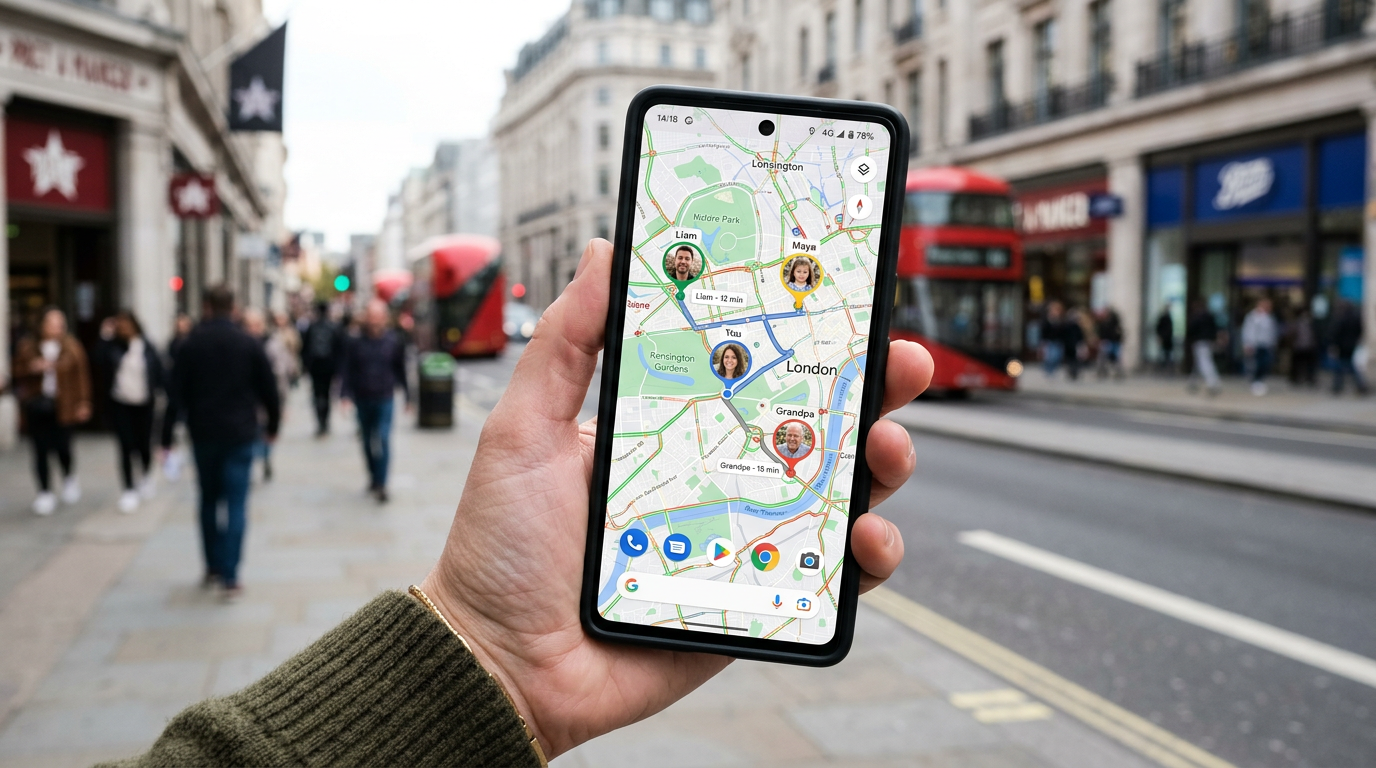
Find: Family Location Tracker è un’app di localizzazione familiare pensata per chi vuole vedere in un solo posto gli aggiornamenti di posizione condivisa dal telefono, su piattaforme mobili in cui il coordinamento rapido della famiglia fa davvero la differenza. L’esperienza migliorata qui è facile da descrivere ma molto utile nella pratica: una mappa, una vista familiare, meno salti da un’app all’altra.
Invece di trattare la posizione come uno strumento a uso singolo, una mappa familiare unificata combina tre elementi di cui spesso le persone hanno bisogno nello stesso momento:
- una vista della posizione attuale di ogni familiare invitato o persona fidata,
- il contesto della mappa, che aiuta a capire gli spostamenti invece di mostrare solo un puntino,
- azioni pratiche come controllare il percorso, confermare un arrivo o usare il telefono per ritrovarlo e fare un rapido follow-up.
Può sembrare una novità modesta, ma risolve un’abitudine molto comune. Spesso si apre Google Maps per avere contesto, Dov’è per trovare un dispositivo o vedere la posizione di una persona, e poi si manda un messaggio o si fa una chiamata per confermare i dettagli. Alcuni arrivano perfino a usare ricerche di persone rapide o servizi simili alla ricerca inversa del numero, quando in realtà servirebbe solo una condivisione familiare affidabile e basata sul consenso. Una vista unificata riduce questa confusione.
Perché conta nella vita reale, non solo negli screenshot dell’app
Molte funzioni di localizzazione sembrano simili finché non le usi in una giornata feriale piena di impegni.
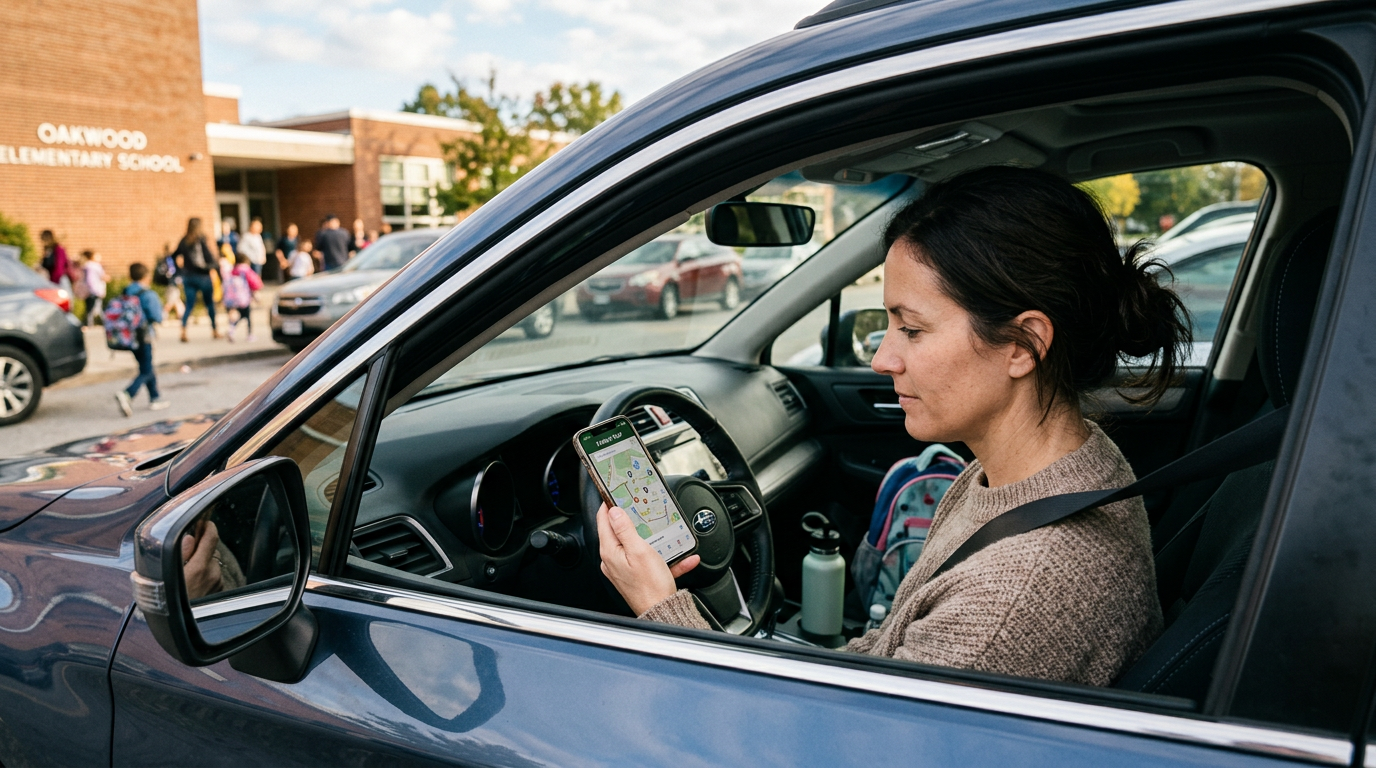
Pensa a una situazione di ritiro a scuola. Un genitore sta uscendo tardi dal lavoro. Un altro è già in macchina. Un adolescente ha allenamento dopo scuola. Con strumenti separati, una persona controlla il traffico su Google Maps, un’altra apre Dov’è iPhone per capire se il telefono del ragazzo si sta muovendo, e qualcun altro manda un messaggio chiedendo: “Dove sei esattamente?” Una mappa familiare condivisa accorcia tutta questa catena. Apri una sola schermata e capisci la situazione più in fretta.
Oppure pensa a una chiamata persa. Un familiare non risponde e l’ansia cresce subito. A quel punto molte persone iniziano ricerche sparse: trova il mio telefono, trova il mio dispositivo, cerca un numero di telefono, ricerca numero, persino ricerca persone rapida. Queste ricerche riflettono urgenza, ma spesso sono un cattivo sostituto di una condivisione familiare organizzata in anticipo. Un’app di localizzazione affidabile funziona meglio prima che inizi il momento di stress.
È qui che Find: Family Location Tracker si inserisce in modo naturale. Se vuoi un modo più tranquillo per gestire il coordinamento familiare senza passare continuamente da strumenti separati, la sua mappa familiare condivisa è pensata proprio per questo.
Non è un’altra app di navigazione, e nemmeno uno strumento per cercare persone
È utile essere chiari sulle categorie, perché spesso gli utenti le confondono.
Google Maps è eccellente per percorsi, traffico e contesto dei luoghi. Dov’è e Dov’è iPhone vengono usati spesso per localizzare dispositivi o controllare la posizione all’interno di un singolo ecosistema. Le ricerche in stile ricerca persone rapida di solito nascono dal tentativo di identificare o contattare qualcuno tramite informazioni pubbliche. Sono esigenze diverse.
Un’app di localizzazione familiare in questa categoria serve per una condivisione continuativa e basata sul consenso tra persone fidate. Il suo valore non sta nel sostituire ogni mappa o ogni utility del telefono. Il suo valore sta nel gestire il livello di coordinamento familiare in modo più naturale rispetto alle alternative generiche.
A differenza dell’aprire un’app di navigazione solo per dedurre dove potrebbe essere qualcuno, una mappa familiare condivisa è progettata apposta per seguire gli spostamenti con contesto. A differenza delle ricerche nei registri pubblici o dei servizi di ricerca inversa delle chiamate, è centrata su persone che hanno scelto esplicitamente di condividere la posizione tra loro.
Chi trae più vantaggio da una mappa familiare unificata?
Questa funzione tende ad adattarsi particolarmente bene ad alcuni gruppi:
- Genitori che coordinano tragitti scolastici, attività e passaggi di consegna
- Coppie che vogliono una vista condivisa pratica invece di continui messaggi “Dove sei?”
- Famiglie che aiutano parenti anziani negli spostamenti tra appuntamenti e casa
- Nuclei familiari con più dispositivi, in cui “cerca il mio telefono” è un evento ricorrente
- Persone che gestiscono giornate piene su telefoni diversi, incluse abitudini legate ai telefoni Google o famiglie con dispositivi misti
Può essere utile anche per famiglie internazionali o nuclei che usano marchi di telefoni diversi. Che qualcuno abbia un mini telefono, un telefono Huawei, un telefono One, un telefono Tesla, un telefono Vodafone o un qualsiasi telefono normale, il bisogno di solito è lo stesso: chiarezza rapida sulla posizione direttamente dal telefono che si ha già in mano.
Per chi non è adatta?
Questo tipo di app non è ideale per chi cerca monitoraggio nascosto di estranei, risultati casuali da ricerca di numeri di telefono o funzioni aperte di ricerca persone rapida. Non è neppure la scelta migliore se la tua esigenza principale è solo la navigazione passo passo in auto; per quello un’app di mappe dedicata continuerà a fare meglio. Il caso d’uso più forte è la condivisione familiare continuativa e trasparente tra persone fidate.
Quattro momenti quotidiani in cui questa funzione dimostra il suo valore
1. Il controllo “Sono già arrivati?”
Non ti serve una conversazione completa. Ti serve una conferma. Una mappa condivisa può mostrare se qualcuno è arrivato, è ancora in movimento o sembra in ritardo. Così si riducono chiamate non necessarie e tutti restano informati.
2. Il problema della famiglia su piattaforme diverse
Alcune famiglie si affidano agli strumenti dell’iPhone, altre a quelli Android, e molte usano entrambi. Quando le persone cercano Dov’è iPhone, trova il mio iPhone o trova il mio dispositivo, spesso stanno cercando di colmare un vuoto tra piattaforme diverse. Un livello di localizzazione pensato per la famiglia è utile proprio perché il coordinamento familiare raramente rimane dentro un solo ecosistema.
3. La corsa del “Non trovo il telefono”
C’è differenza tra perdere il telefono in casa e non sapere dove è stato portato l’ultima volta. Nel secondo caso, vedere la recente posizione condivisa del dispositivo o della persona può restringere rapidamente il problema. Anche se continui a usare gli strumenti nativi per far squillare il telefono o eseguire azioni specifiche del dispositivo, la mappa familiare fornisce un primo contesto molto utile.
4. Più autonomia per gli adolescenti senza messaggi continui
I ragazzi più grandi e gli adolescenti di solito vogliono meno interruzioni, non meno sicurezza. Una mappa condivisa può ridurre i controlli continui mantenendo comunque un livello di rassicurazione sufficiente per gestire la giornata.
Come capire se questa funzione è davvero utile per la tua famiglia
Non scegliere un’app di localizzazione basandoti solo sugli screenshot. Usa invece alcuni criteri pratici:
- Rapidità di comprensione: aprendo l’app riesci a capire la situazione di tutti in pochi secondi?
- Chiarezza della mappa: la mappa offre contesto, non solo puntini su uno schermo?
- Condivisione basata sul consenso: è chiaramente progettata per la condivisione tra persone fidate invece di promettere ricerche vaghe?
- Praticità su dispositivi diversi: ha ancora senso se in casa usate telefoni differenti?
- Utilità quotidiana: può aiutare con scuola, tragitti, appuntamenti e momenti in cui si perde il telefono?
- Facilità d’uso: anche i familiari meno esperti riescono a usarla senza frustrazione durante la configurazione?
Quest’ultimo punto conta più di quanto molte liste di funzioni ammettano. Un’app potente che confonde genitori o nonni durerà poco nelle vere routine familiari.
Alcune domande pratiche che le persone fanno spesso
“Perché non usare semplicemente la condivisione della posizione di Google Maps?”
Per alcune famiglie basta. Ma molte persone vogliono un’esperienza più focalizzata sul coordinamento familiare, invece di adattare uno strumento di mappe generico a una routine continuativa di controllo degli spostamenti.
“È la stessa cosa di Dov’è?”
Non proprio. Dov’è è spesso associato alla localizzazione di dispositivi e all’ecosistema di riferimento. Un family tracker si concentra di più sulla visibilità condivisa tra persone fidate nelle routine di tutti i giorni.
“Perché le persone cercano ricerca persone rapida quando in realtà serve un’app per la famiglia?”
Di solito perché sono sotto stress e cercano di risolvere in fretta un problema di posizione o di contatto. Ma gli strumenti di ricerca pubblica e le app di condivisione familiare risolvono problemi diversi.
“Un’unica app può sostituire tutto?”
Di solito no. La maggior parte delle famiglie continua a usare Google Maps per la navigazione o gli strumenti nativi del telefono per attività specifiche del dispositivo. La domanda giusta è se una sola app può ridurre il numero di passaggi necessari per il coordinamento quotidiano. È qui che una mappa familiare unificata aiuta davvero.
Il miglioramento silenzioso che gli utenti notano davvero
I miglioramenti migliori spesso non sono appariscenti. Eliminano l’esitazione. Riducono il numero di tocchi, il numero di messaggi “Dove sei?” e il numero di volte in cui qualcuno deve passare tra aspettative in stile Life360, app di mappe e strumenti per ritrovare il telefono.
Una buona mappa familiare non deve sostituire Google Maps, Dov’è iPhone o ogni utility del telefono. Deve solo rispondere alla domanda della famiglia in modo più rapido e più chiaro di quanto possa fare un insieme di strumenti scollegati.
Ecco perché questo tipo di funzione conta. Non perché sembri avanzata, ma perché rispecchia il modo in cui le famiglie si comportano già. Non cercano un tracciamento astratto. Cercano meno attrito, meno incomprensioni e un’idea più affidabile di dove si trovano le persone care durante giornate normali.
Se nella tua famiglia vi ritrovate ancora a mettere insieme abitudini da Life360, controlli su Google Maps e momenti su Dov’è solo per restare coordinati, Find: Family Location Tracker merita di essere valutata partendo da una domanda semplice: una sola mappa condivisa aiuta la tua famiglia a capire la giornata più in fretta?
Per uno sguardo più ampio su ciò che le famiglie si aspettano di solito da uno strumento di condivisione della posizione, leggi questa panoramica sui casi d’uso delle app di localizzazione familiare.